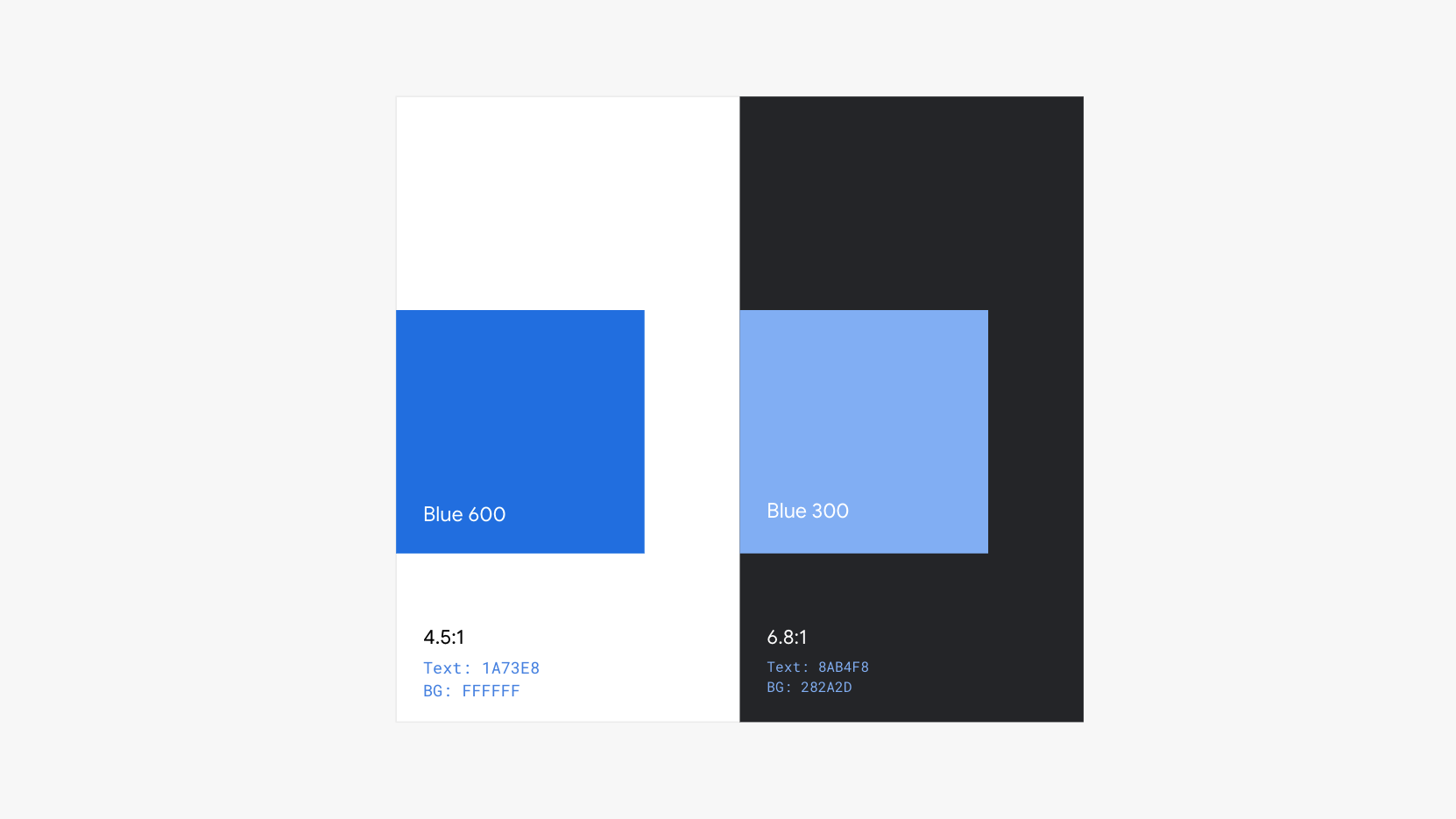
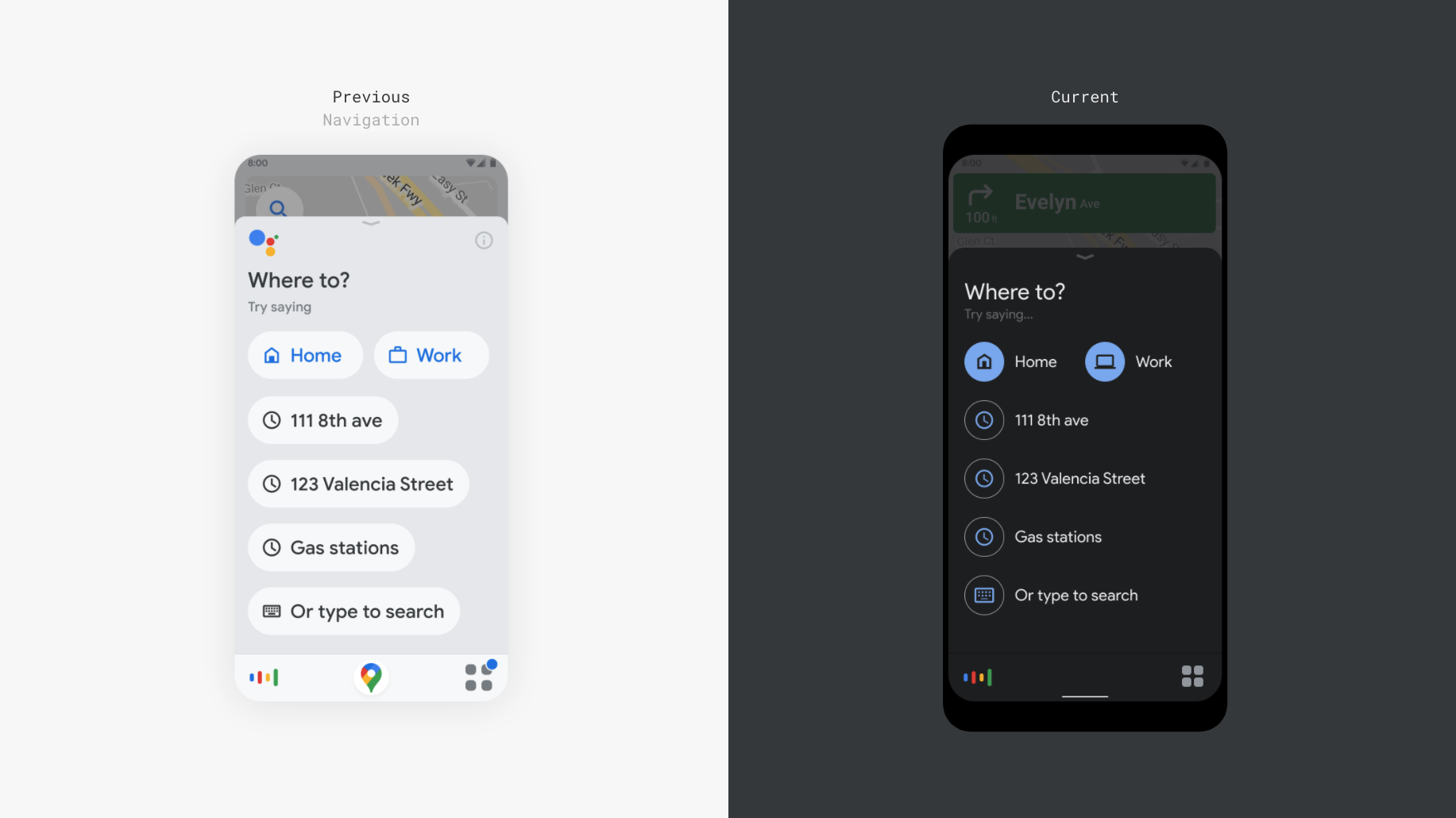
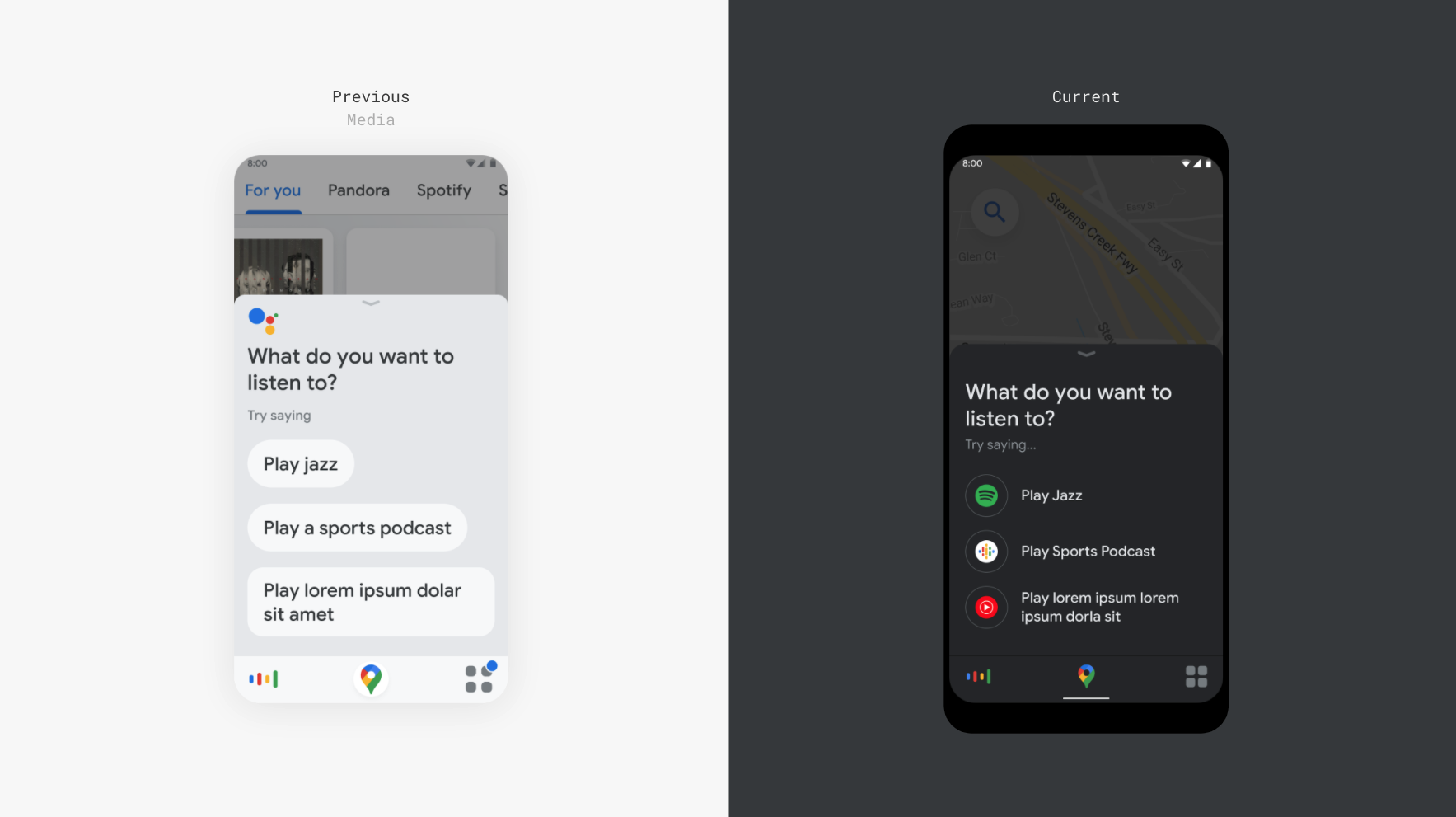
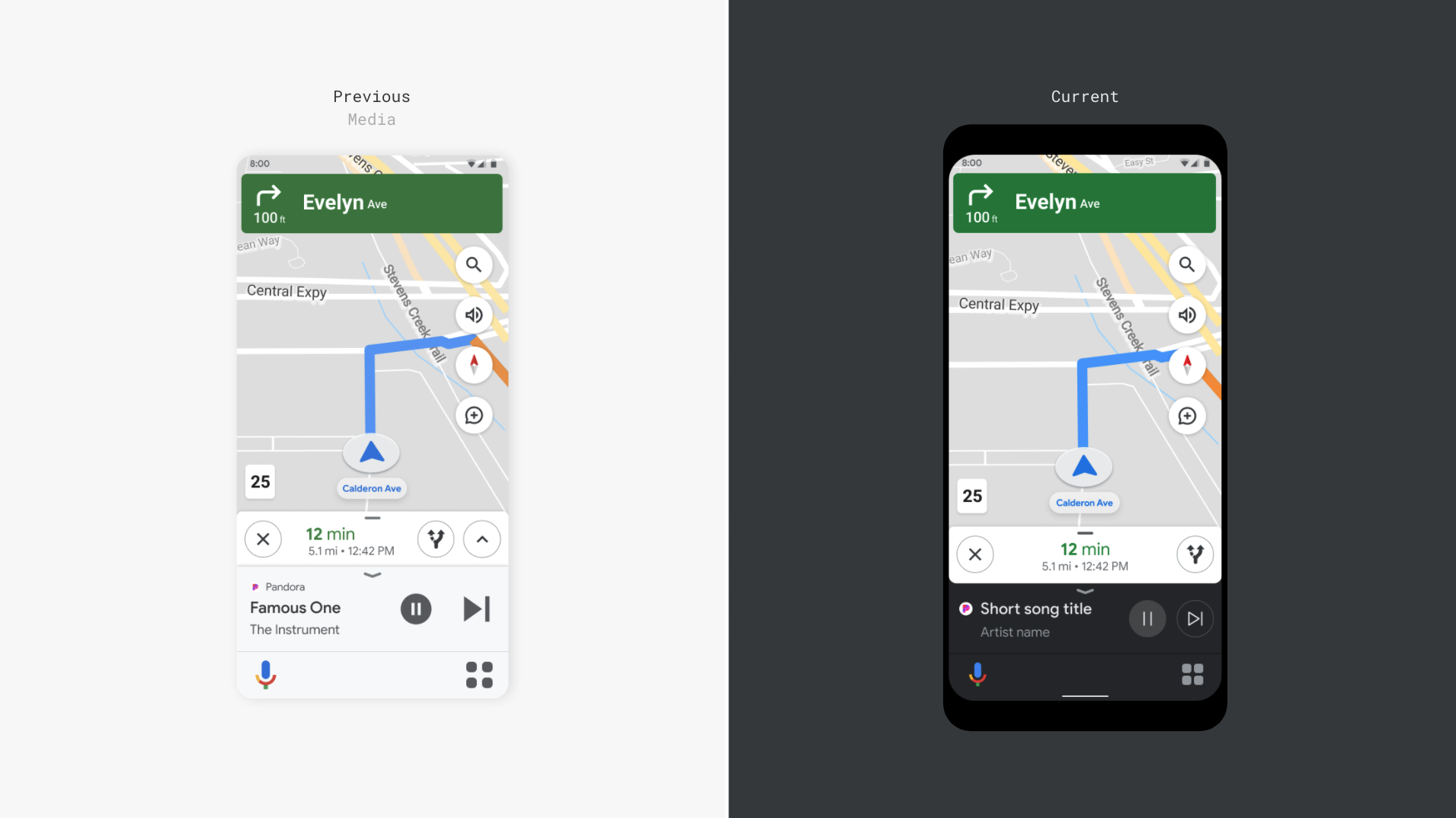
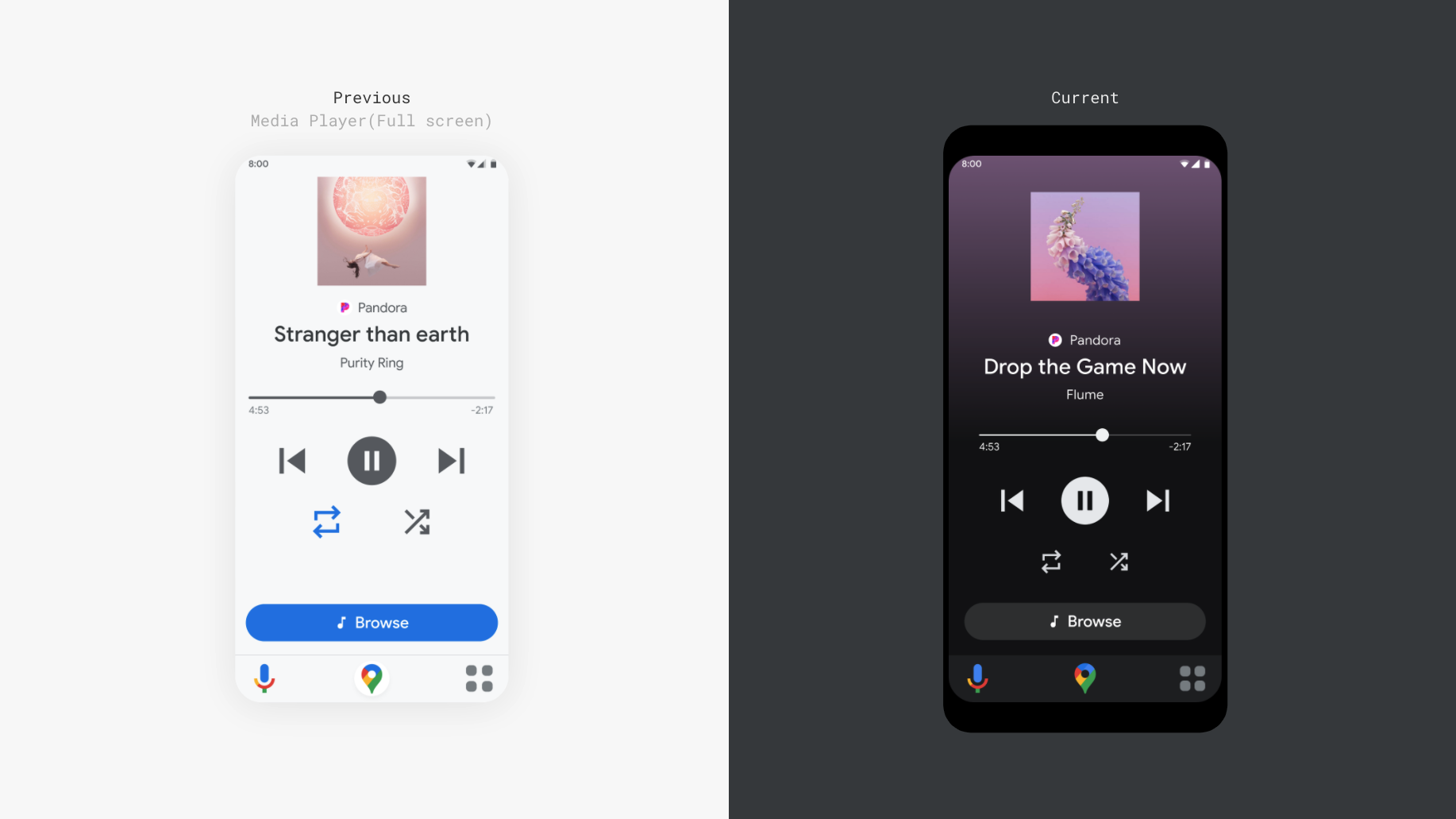
There must be sufficient contrast between icon/text and their background
Rationale: Sufficient contrast enables visibility of icons and text. High contrast also enables legibility under different lighting conditions.
How to evaluate: Use the contrast checker by verifying that the minimum contrast ration is 4.5:1 or higher.
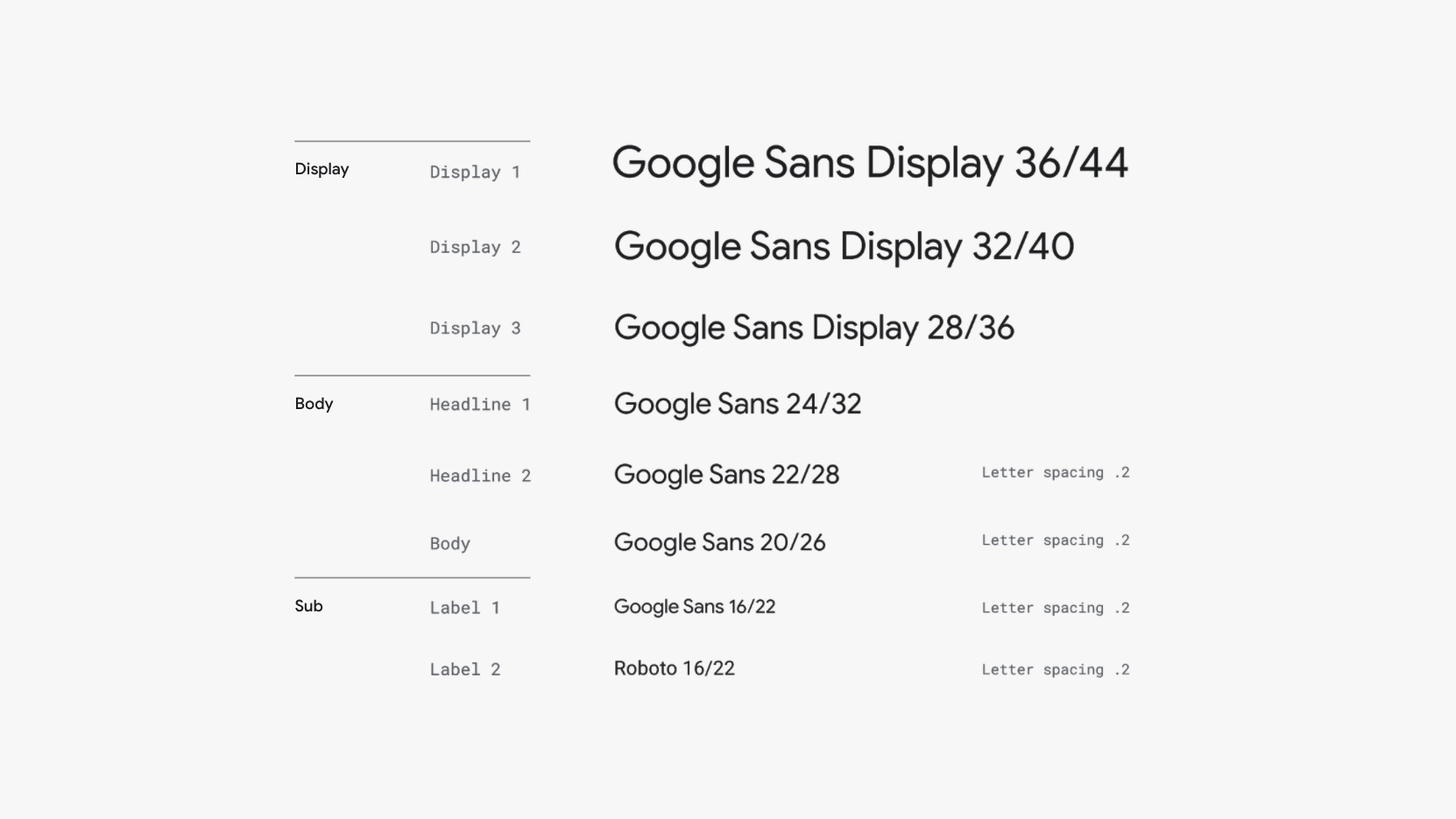
Typography
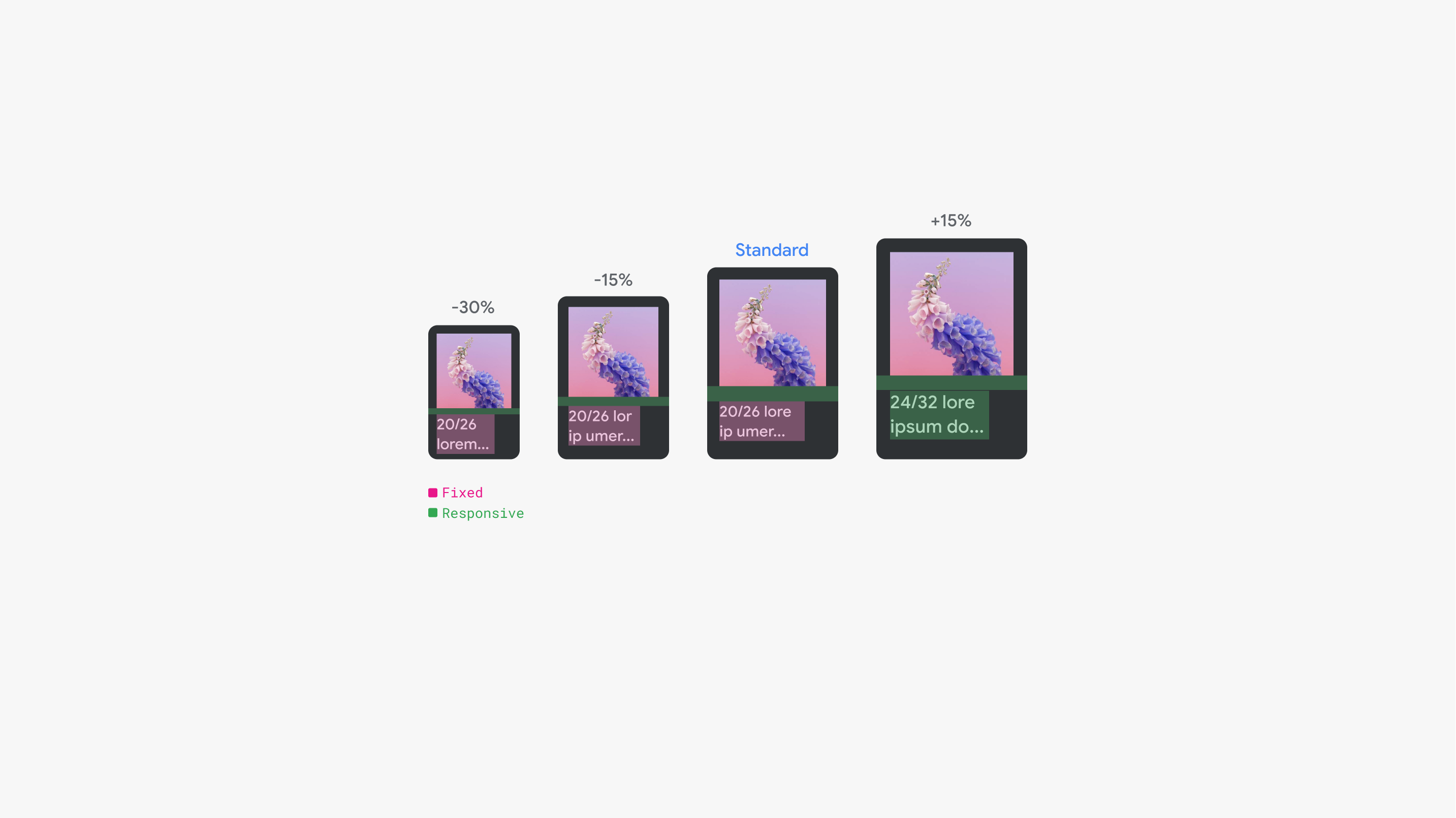
They type scale is designed to cascade from 36 to 16. Main body text size ranges from 24 to 20 (minimum font size for Primary text). Sub-text size 16 are best reserved for secondary or non crucial information.
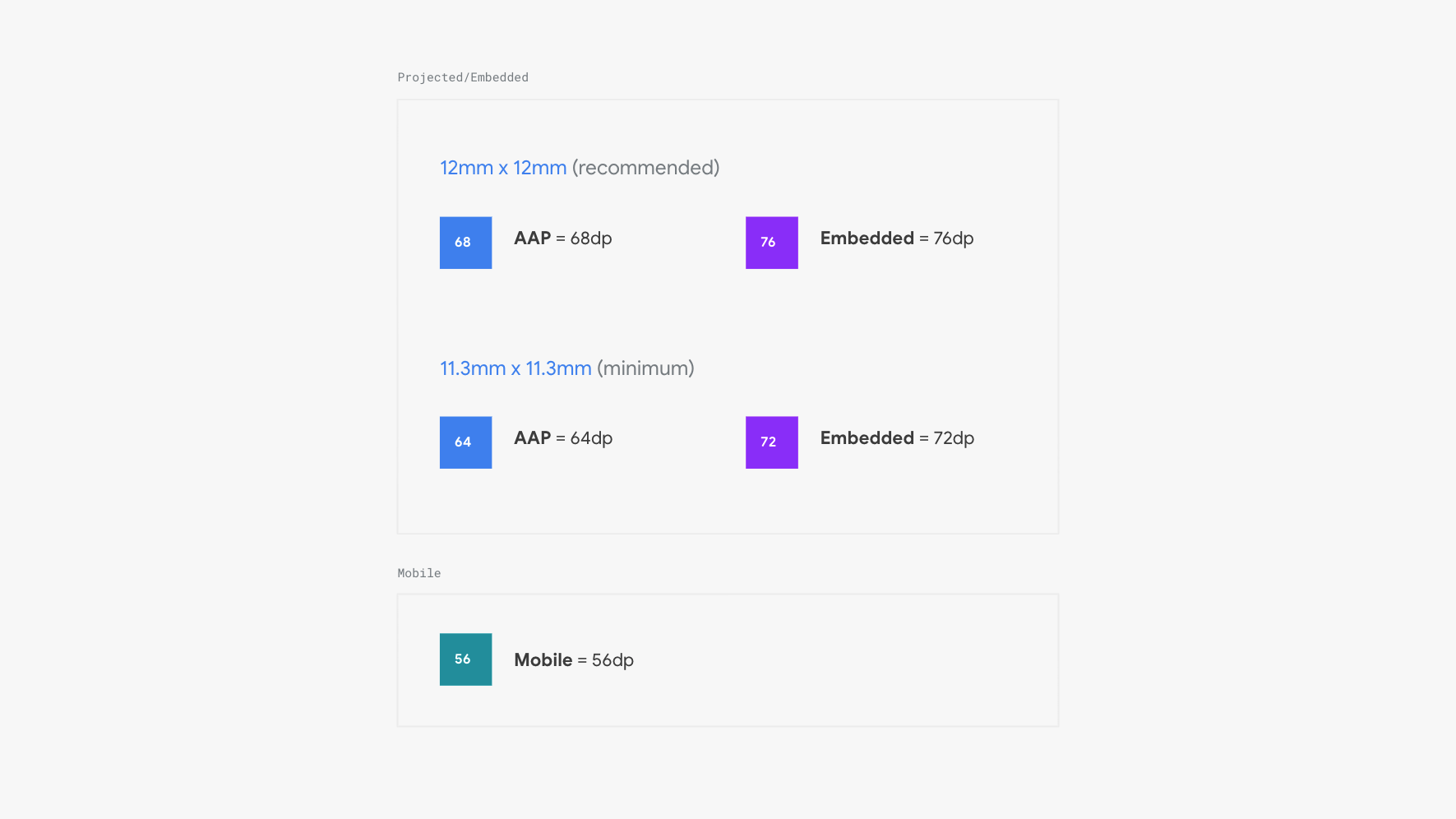
Tap target
Small tap targets increase the likelihood for mistaps and create distraction. The driver may need to glance or search for the tap target for a longer period of time, increasing visual distraction. Ease of use also increases as tap targets increase.
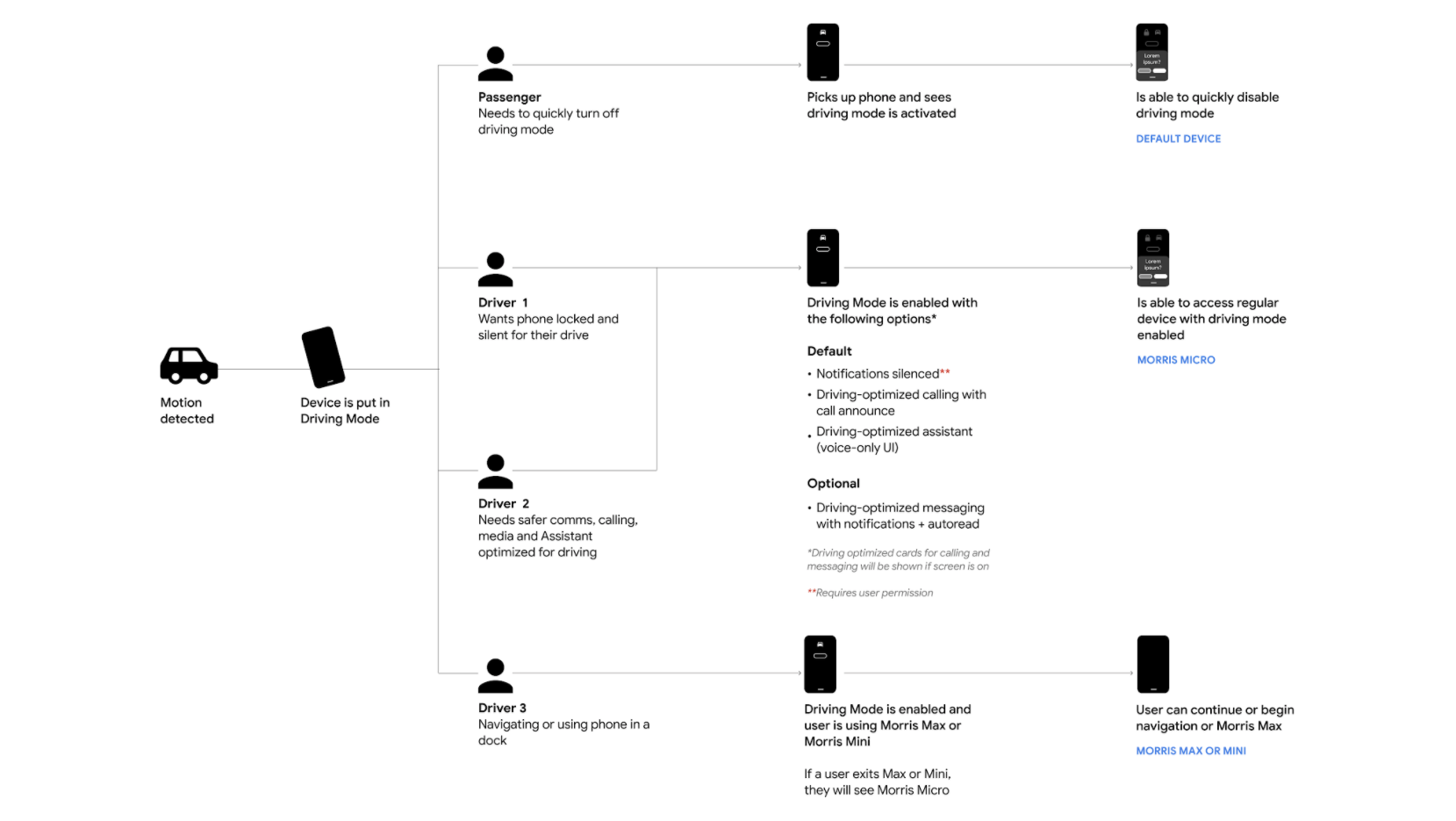
User scenarios
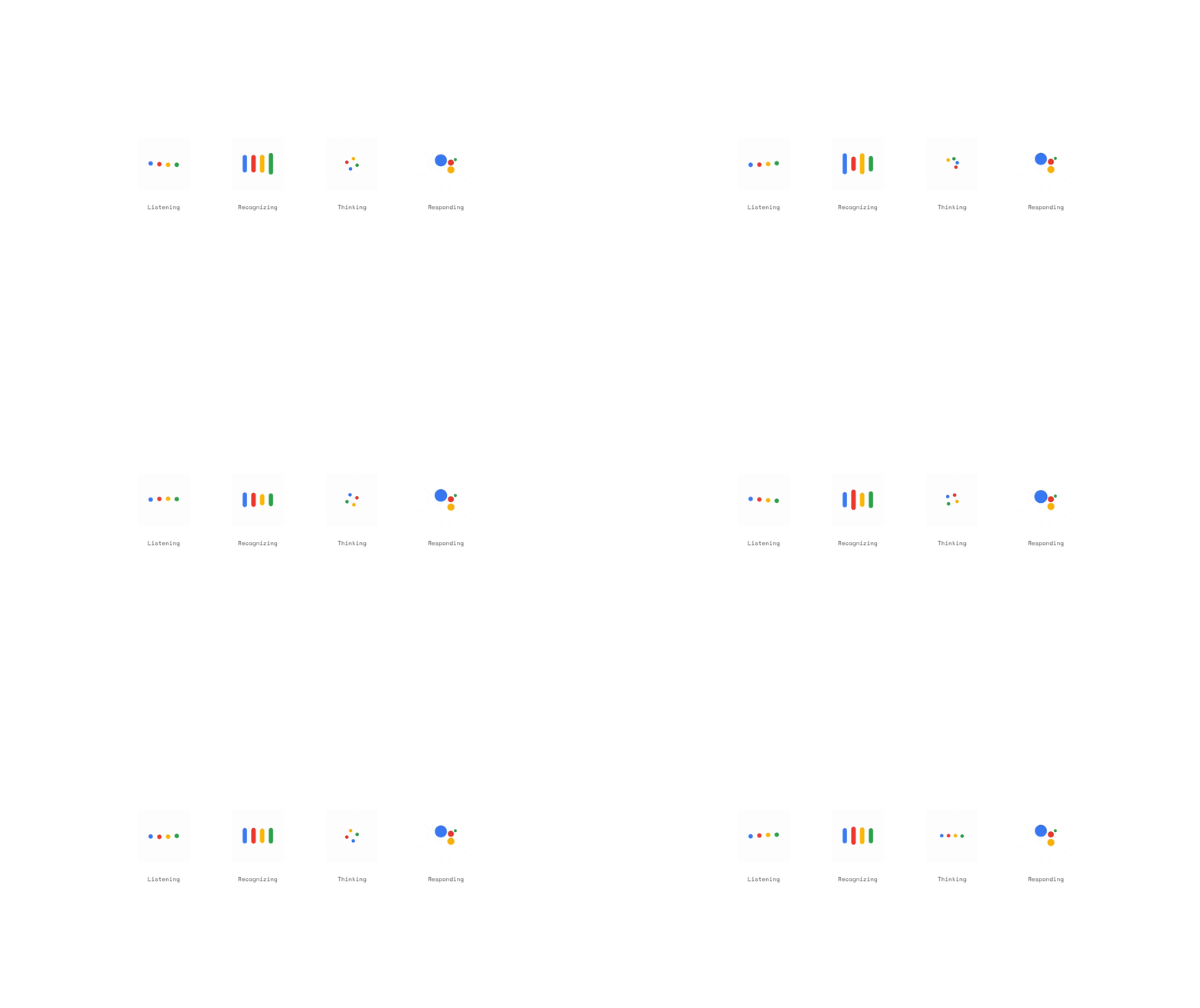
Assistant states
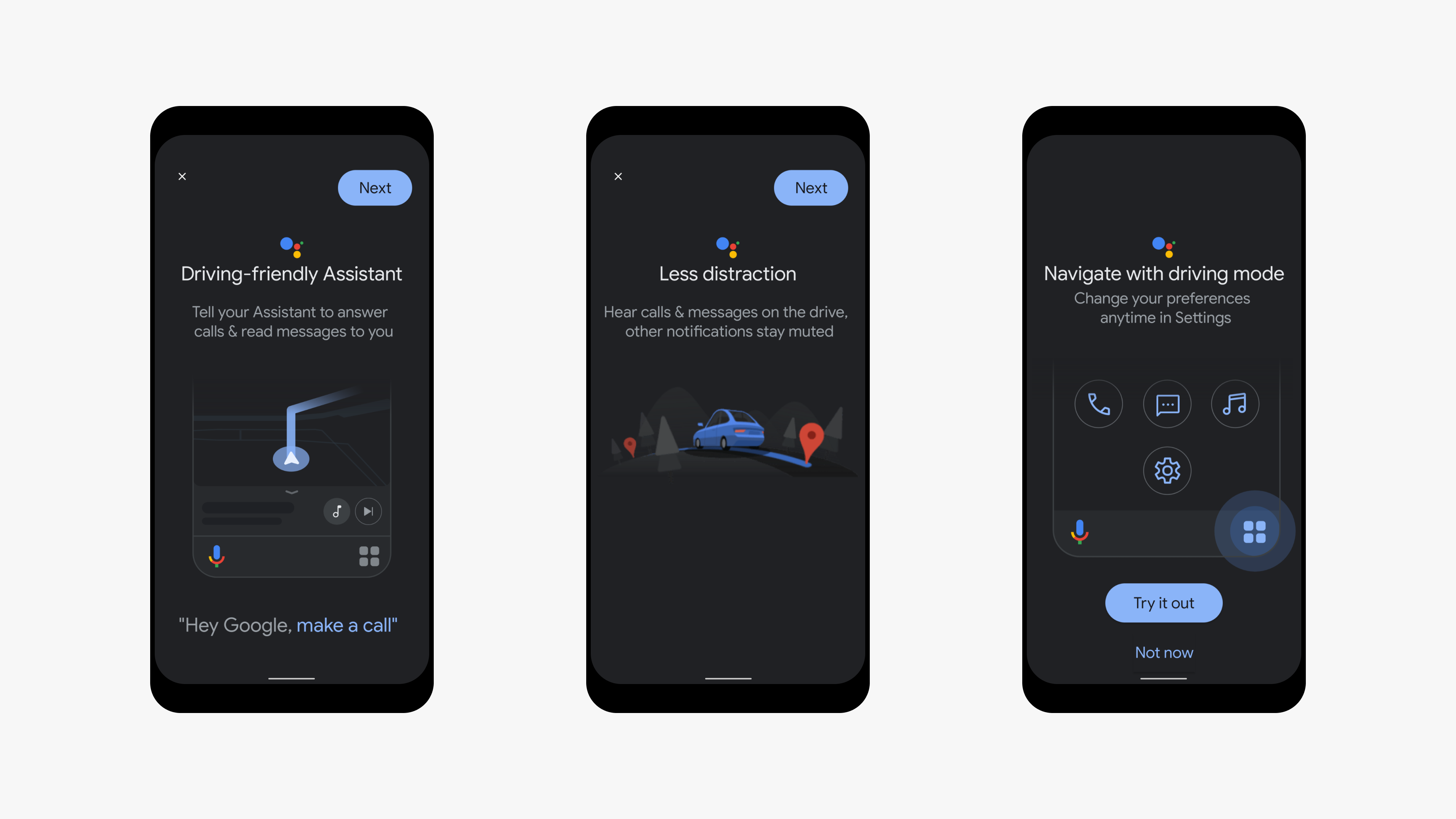
Onboarding
Trigger when google map is activated
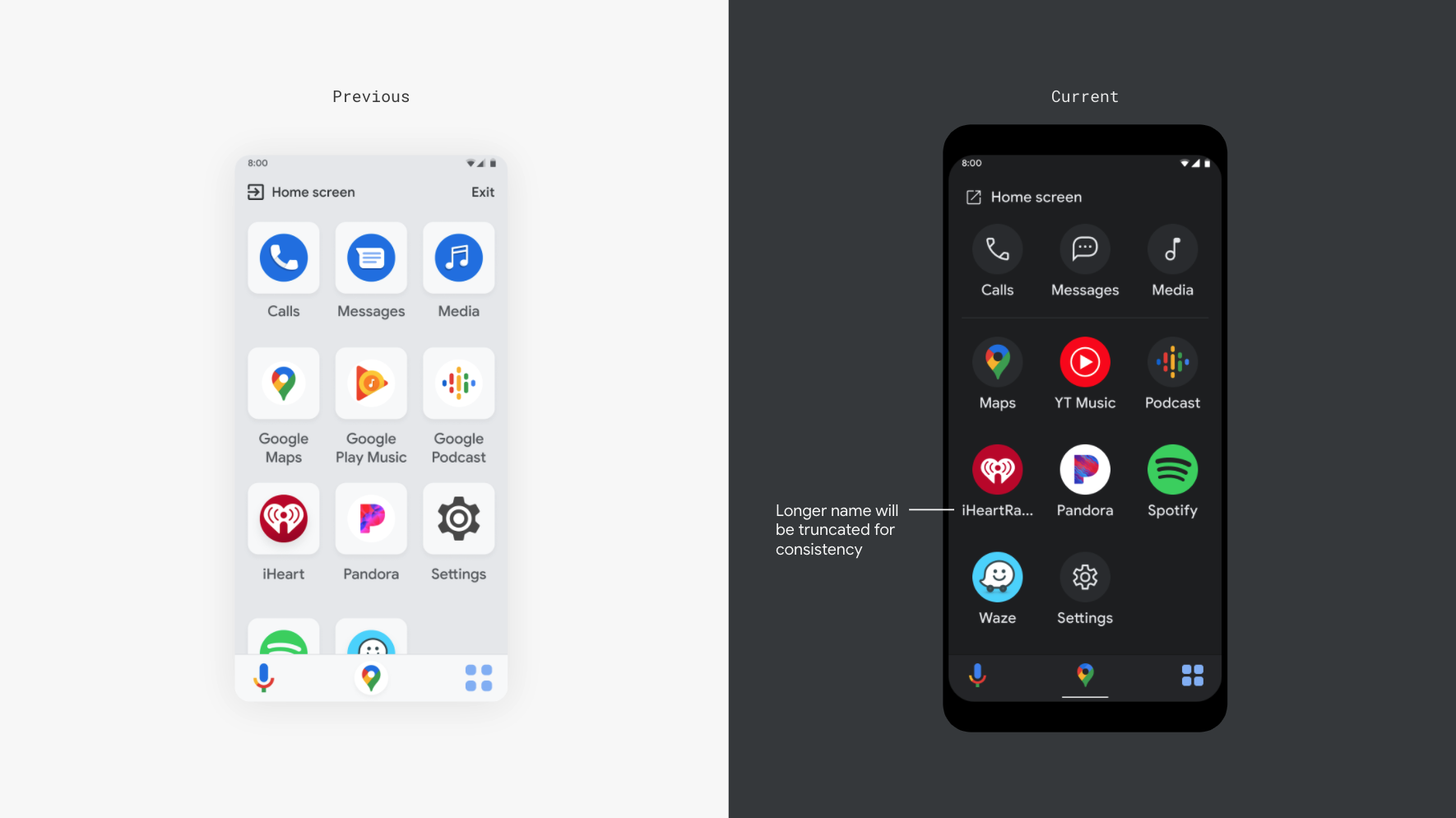
Experience Launcher
To help users quickly find what they are looking for and stay focused on the road, these screens (media, phone calls, tex messages)are optimized for glanceability and voice capability.
Rationale
Give users a place to view and launch their driving friendly apps.
Elevate Assistant aggregated calling, messaging and media experiences as hero features
Provide a path to the users Android home screen
Conversational immersives
Elimination dead ends and helping users discover new voice interactions through multimodal moments.
Media player
Adjusting and viewing media is a top concurrent activity with driving.
UX goals and rationale
Give users a way to view and adjust media safely while driving without leaving the map.
Provide a way for users to minimize/expand media and view more/less map
Provide a path to a full screen media player options from mini player
Calling
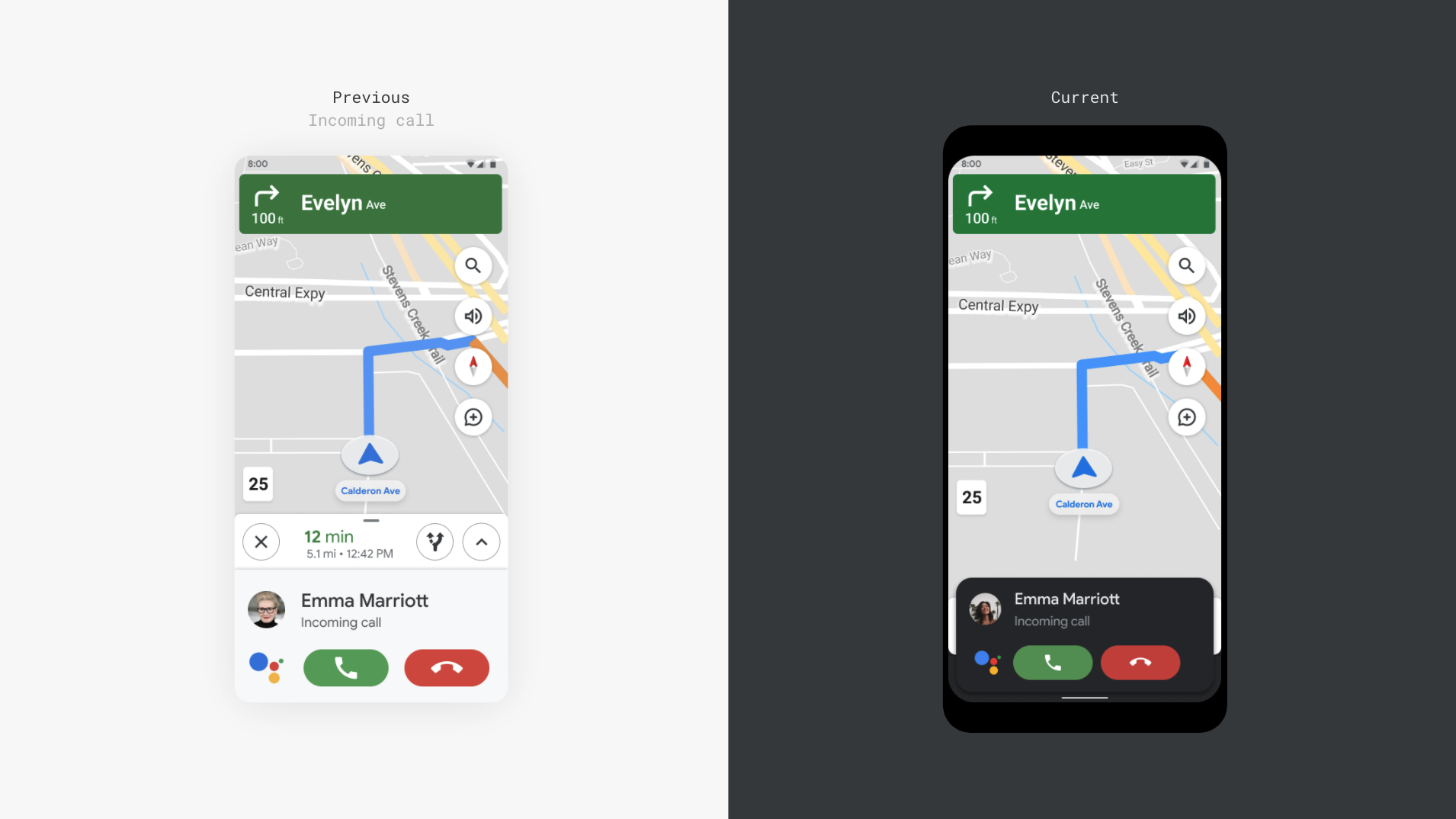
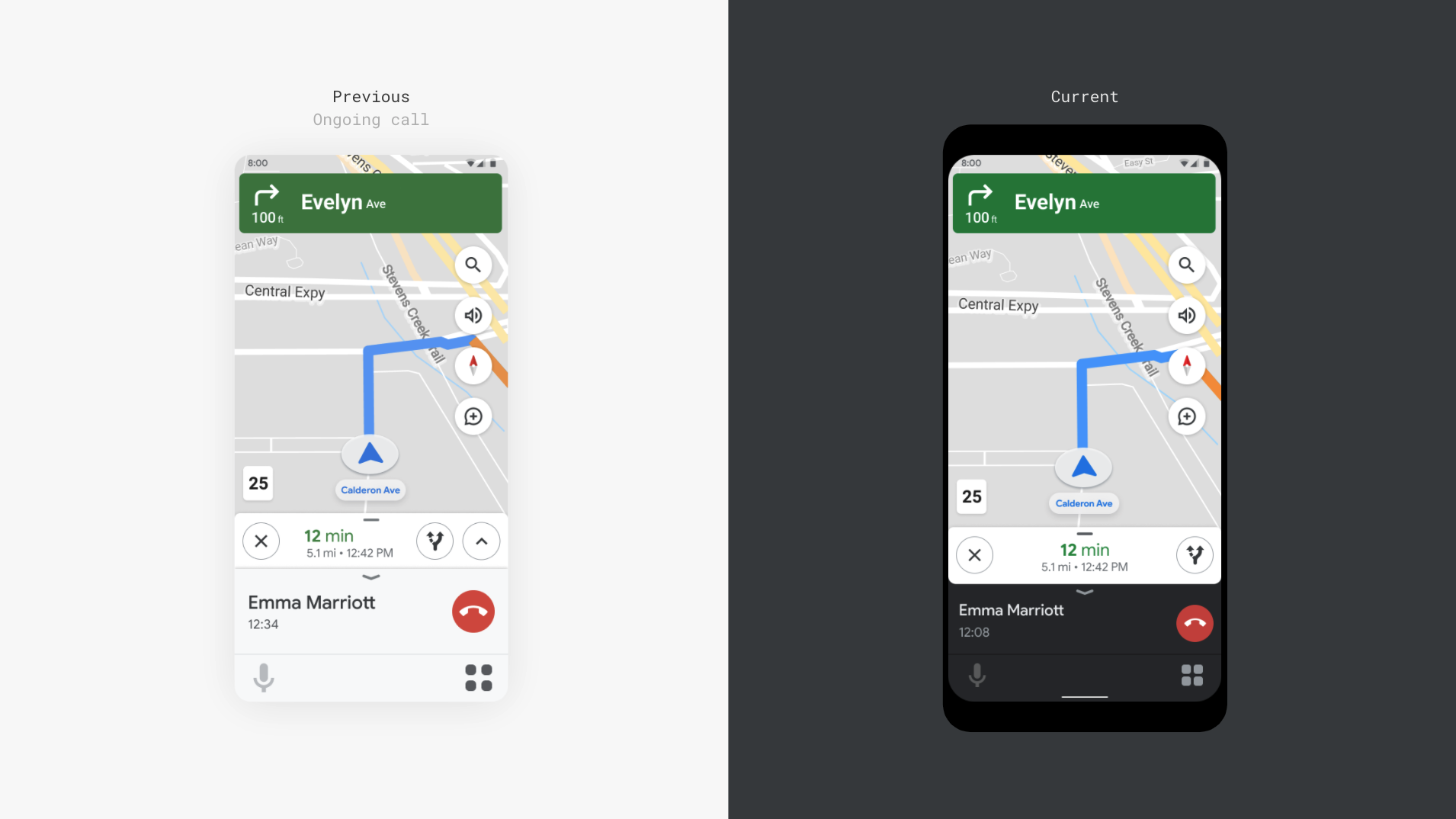
Users need to be able to accept call/ongoing call from without leaving the map.
UX goals and rationale
Incoming call should be glanceable and actionable via auto optimized VUI or GUI.
Name, duration and end call are top entities needed during a call.
Assistant is not accessible during a call so mic is disabled.
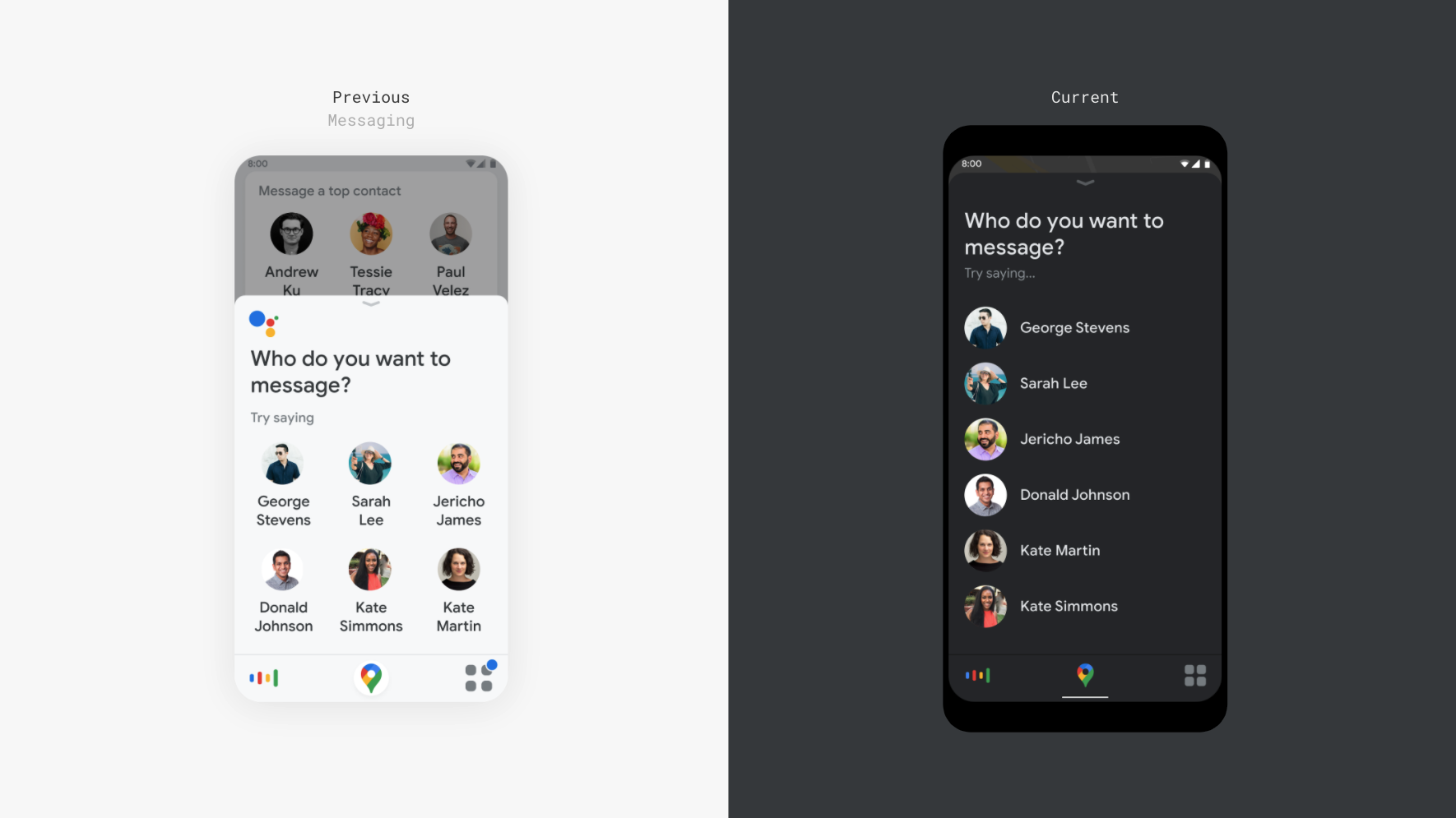
Messaging
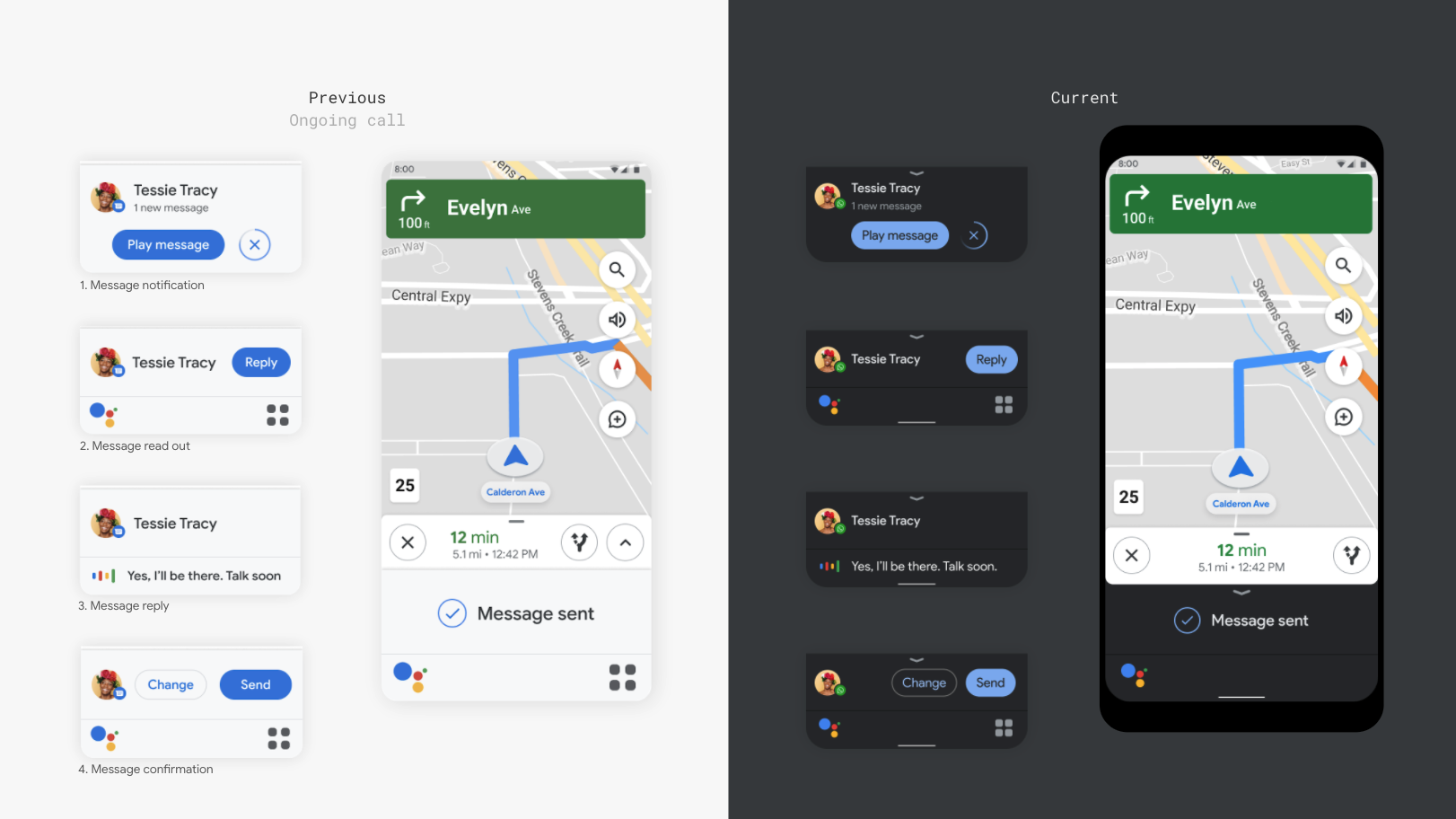
People still want to send and receive messages while driving.
UX goals and rationale
Incoming notification should be glanceable and actionable via GUI and VUI
Give users a way to hear and respond to messages without leaving the map or touching the screen
Provide multi-modal (GUI and VUI) actions to provide efficiency and a sense of control for the user
Contact profile pic, messaging provider and contact name are top entities to be displayed during messaging flow.
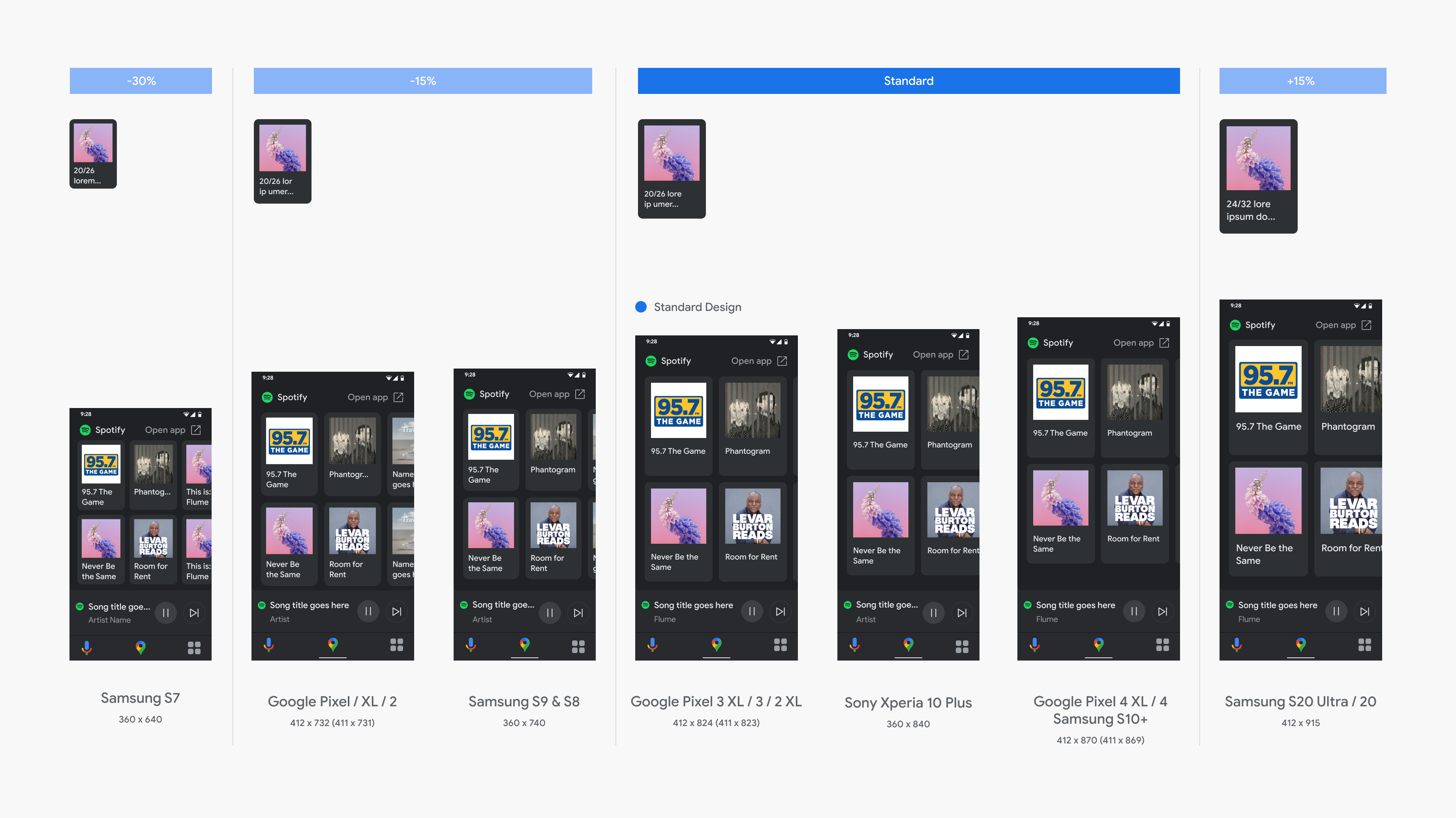
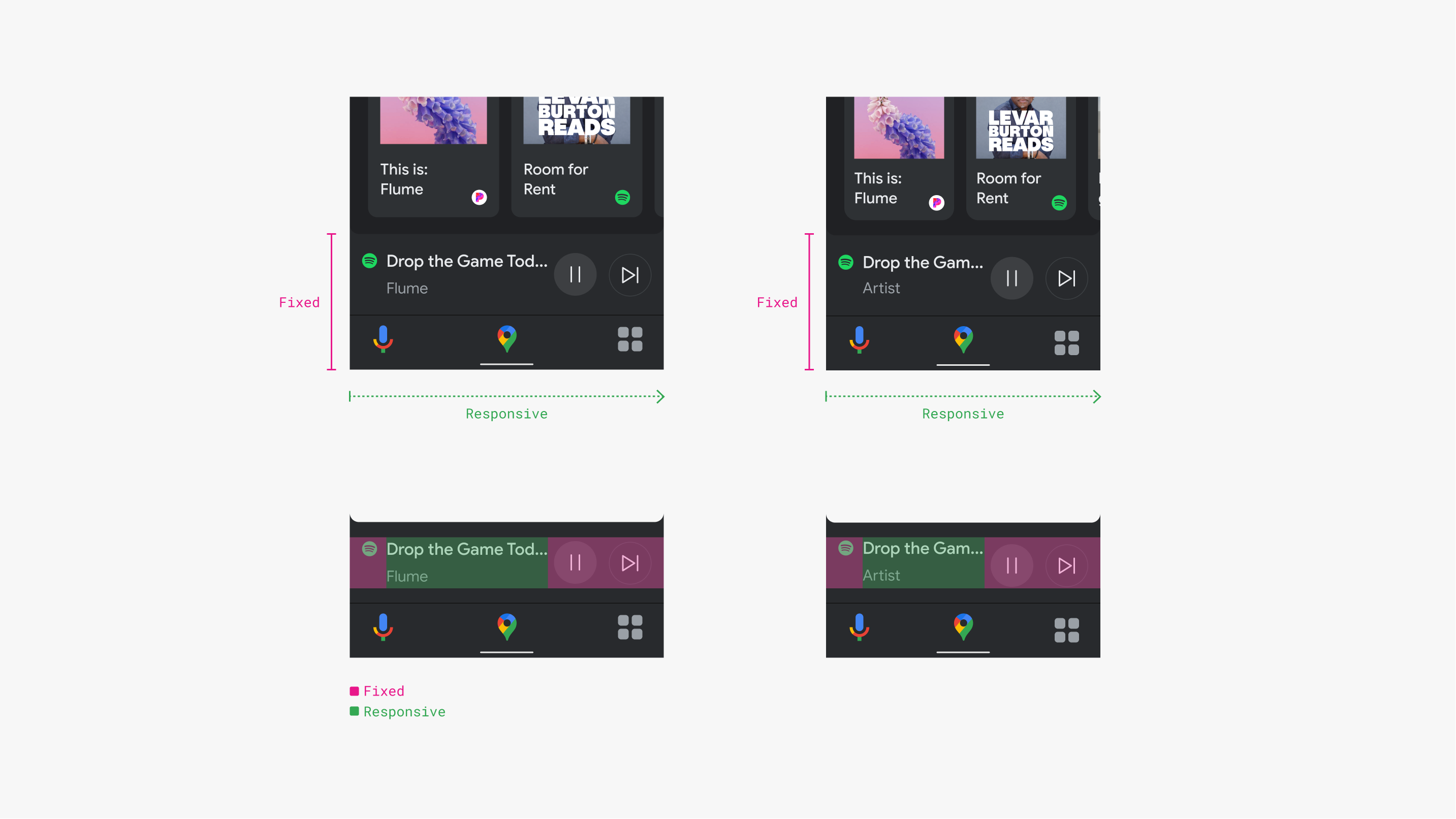
Responsive media browse
Create rules that will cover the majority of screen sizes from small to large.